Your woodls, in your browser

woodls Studio

Your lending, credits, groups and coding tasks on one page that only your own computer serves.

On this page
  1. Open it
  2. Your woodls
  3. What you can do there
  4. Following a task
  5. Safe by design

The guides

On this computer

Nobody else can open it.

Open it

woodls studio

Opens woodls Studio in your browser, on Your woodls, for as long as the command runs; Ctrl+C ends it. Inside woodls code, /watch (or woodls code --watch) opens the same window on the task you’re in. The terminal says the page’s address too.

The page is served by woodls on this computer only, at an address with a key of its own in it (http://127.0.0.1:PORT/t/KEY/). On Windows it’s meant to open in Windows’ own browser.
Five cards

Read every few seconds.

Your woodls

The rail’s second button, the line on Home, or the palette opens it.

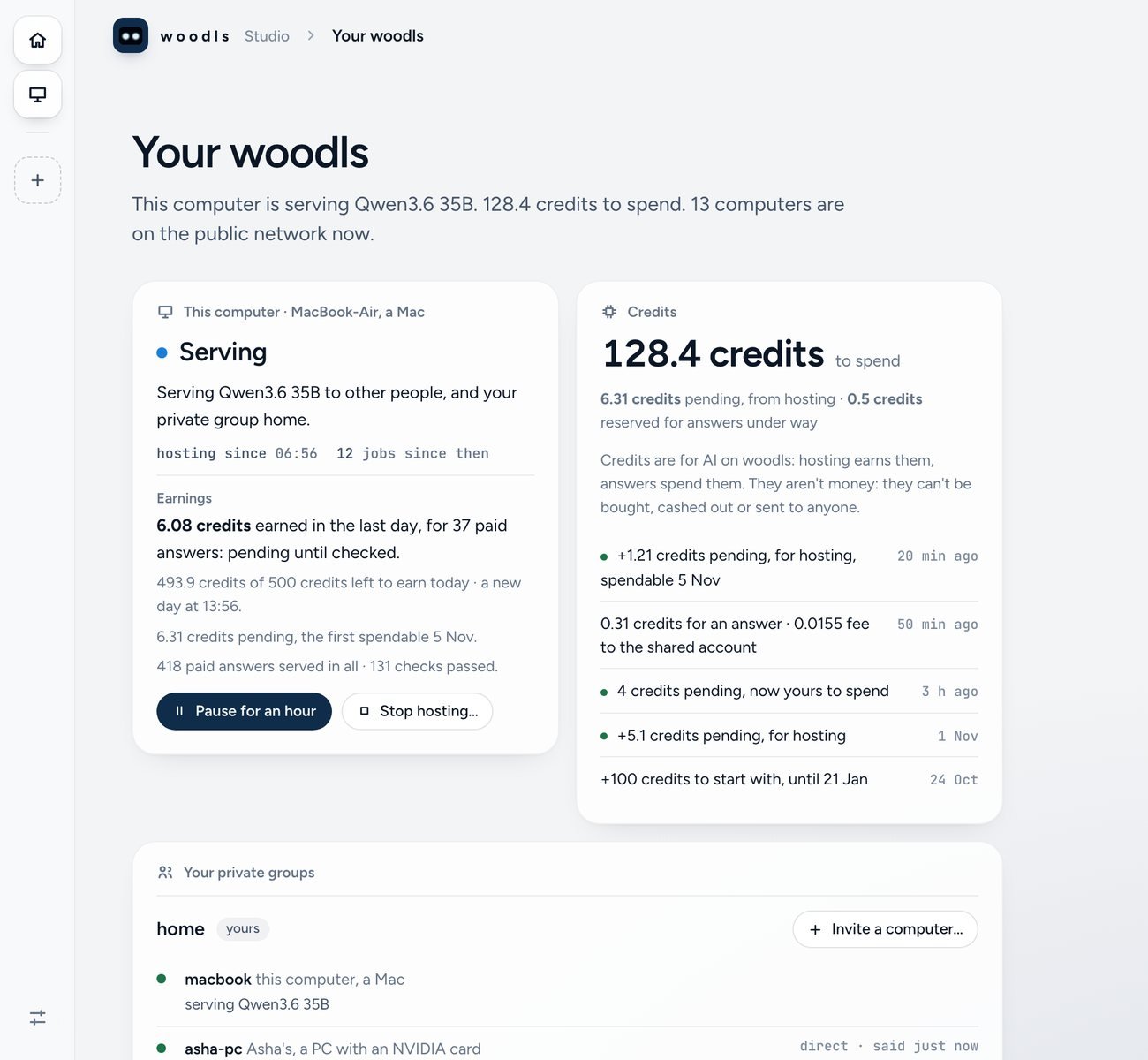
woodls Studio’s Your woodls page. A narrow rail of buttons on the left. A title, Your woodls, over a line saying this computer serves Qwen3.6 35B and has 128.4 credits to spend. Two cards: This computer, Serving, with what it earned in the last day and buttons to pause or stop; and Credits, 128.4 to spend, with the newest entries.
Plate I Your woodls woodls Studio in a browser: the rail on the left, then this computer’s lending and earnings, and your credits, each on its own card. The real window, with example figures, .
CardWhat it shows
This computerLending or not, what it serves and to whom, why it’s paused or asleep, what it earned in the last day, what’s left to earn today, credits waiting to clear, and its latest moments
CreditsSpendable, pending and reserved, and the newest entries in plain words
Private groupsEach group and each computer in it: whose it is, what kind, what it serves, online or not, and whether it answered directly or through a relay
The public networkComputers on now, answers in the last hour, and every model with its price, size and the memory it needs, serving now or not
MessagesYour groups’ newest messages, which are new, and a box to send one

When woodls’ server can’t be reached, the network card says so, with the figures it read last and when. A card whose part couldn’t be read says why, in the terminal’s words.

Asked first

Where the terminal asks.

What you can do there

  • Lending: pause it for an hour and resume it; stop it, or start it as it last started (both ask first). The very first start is woodls host in a terminal, which finds or downloads a model and says its size.
  • Groups: invite a computer to a group you own, yours or a friend’s, by a link and a code or a spoken code; remove one; send a message. Inviting and removing ask first. While woodls host runs on this computer, it answers the computer that joins; otherwise Studio does while the code is open.
  • Messages: Studio fetches and sends them, but doesn’t answer other computers itself. They move while at least one of the group’s computers runs woodls host. Messages count as read only once the messages card is on screen, so a Studio tab left in the background doesn’t clear what’s new in the terminal.
  • Credits: raise a task’s budget when it runs out, as r does in the terminal.

Live

As woodls code works.

Following a task

  • Home: a card for each task, and for each folder woodls code has worked in on this computer.
  • A task: its steps as a trail, and what it’s on now: a file being written, a command’s output, the question it asks, or its answer and the page it made. Under it, the next steps, such as See the page, Stop after this step or Carry on.
  • The workbench (W): the files the task changed and the code being written. Esc folds it back.
  • The palette (⌘K on a Mac, Ctrl+K elsewhere): jump anywhere, open the workbench, stop, undo, use another model, or ask.
  • Plan first: on a new task’s card, it proposes steps without changing anything. Untick any you don’t want, then make the changes.
  • The composer: tell the task something while it works. /model, /undo, /stop, /context, /diff, /plan, /credits and /help work there; other / commands run in the terminal.
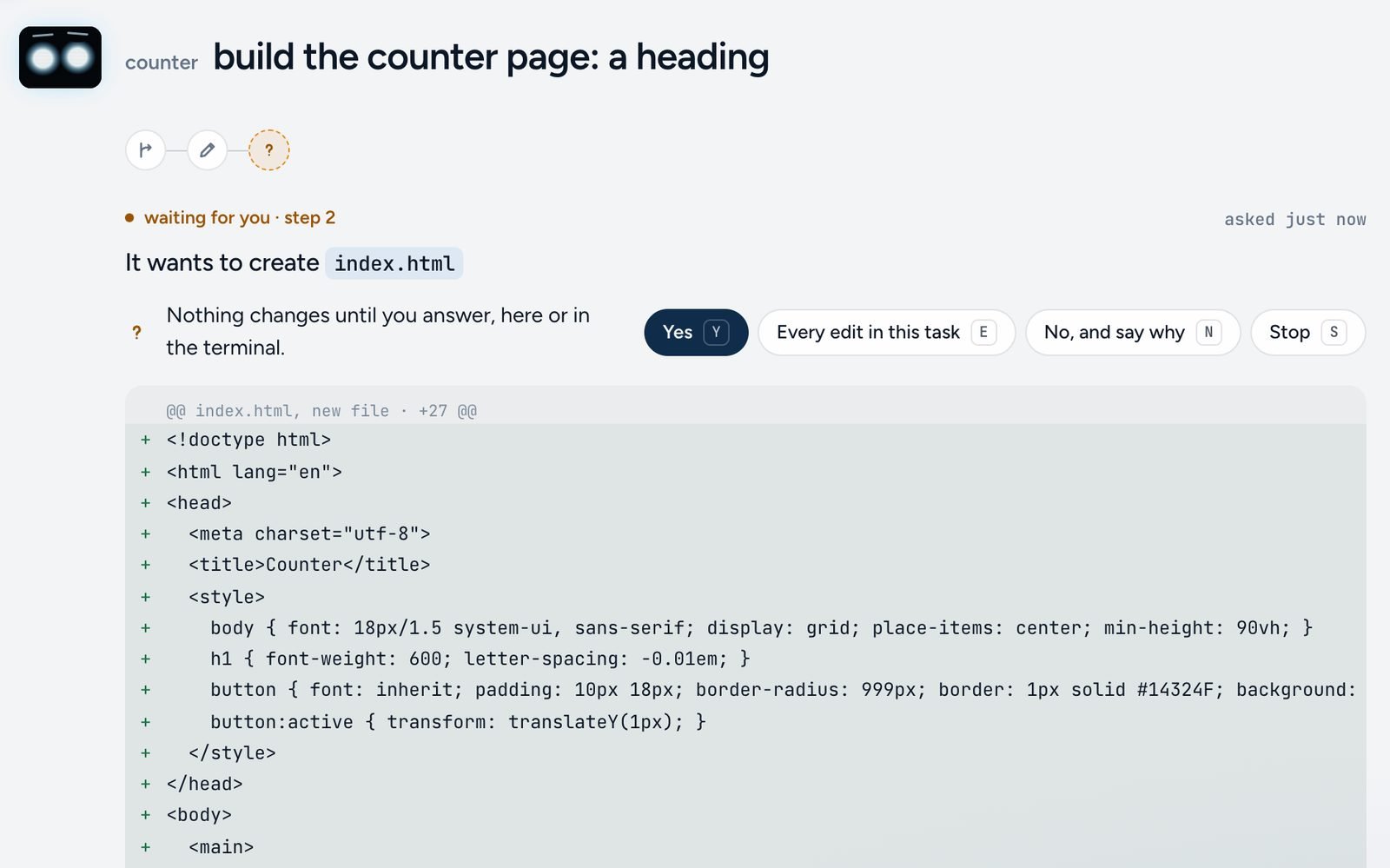
woodls Studio following a woodls code task called counter. Waiting for you, step 2: It wants to create index.html. Buttons: Yes, Every edit in this task, No and say why, Stop. Under them, the new file’s lines.
Plate II woodls code, at work A task followed in the browser with woodls code --watch: it wants to create index.html, shows the file, and changes nothing until you answer. The real window, on a small example project, .
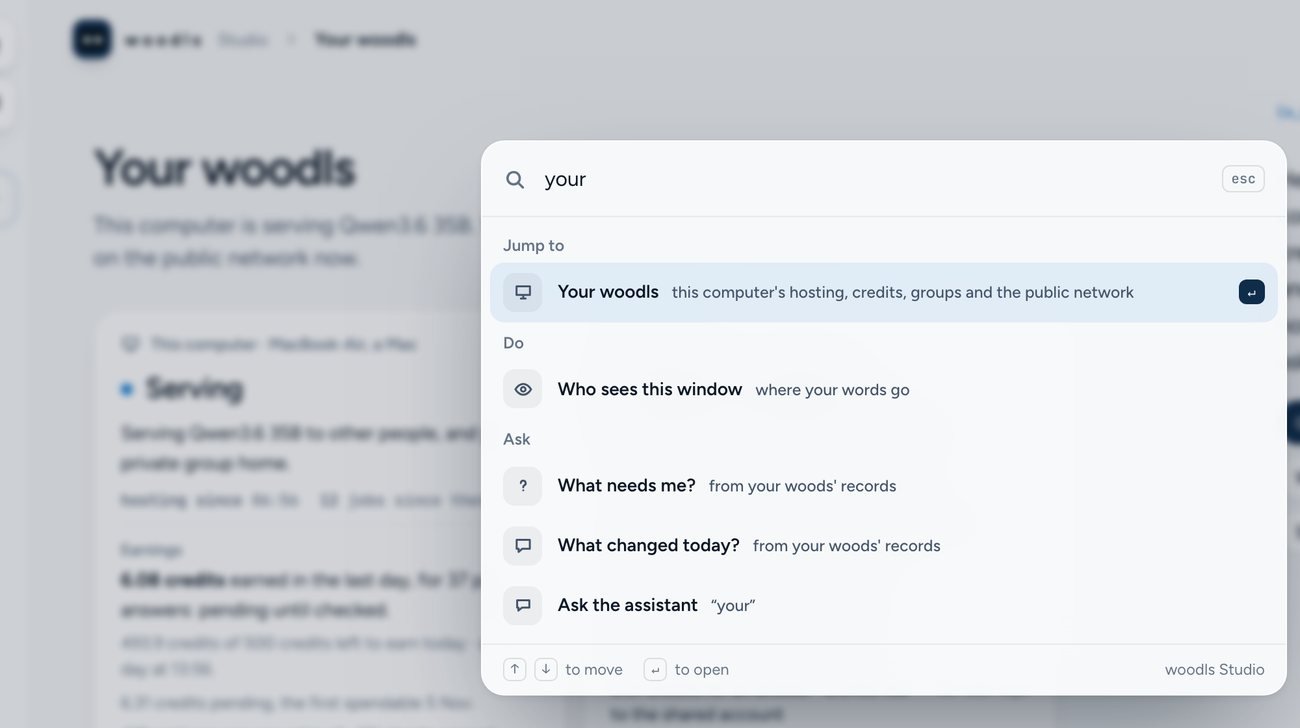
woodls Studio with the palette open over a dimmed page. The word your is typed; under it, Jump to: Your woodls; Do: Who sees this window; Ask: What needs me, What changed today, and Ask the assistant.
Plate III The palette ⌘K, or Ctrl+K, opens it over any page of Studio: type a few letters, then Enter. The real window, .

Answer a question with its buttons, stop a task, undo its last turn (asked first), or start a task in one of your folders, as woodls code --bg would. The terminal says each one, “from the window”.

Only this page

On this computer.

Safe by design

  • Every action needs a second key that only the page holds, so a copied link can watch but never act.
  • Only this computer’s own page is answered, with small requests and at most 30 actions in 10 seconds.
  • With woodls code --run --watch, the page can only stop the run.
  • The assistant on Home answers its quick questions from your records, with no model. A question you type goes to the task’s model, with its cost shown.

Undoing one file alone, comments on a line, and settings or permissions stay in the terminal.